 MemeReply
Big reply energy
Turn any post into a meme.
Find a post. Pick a meme. Add a funny caption. Reply.
No account needed. Add your email only if you want more AI ideas. The punchline is yours.

How it works
From your feed to your reply.
Share an X post.
Tap Share in the X app and choose MemeReply, or paste the post’s link. The post appears as a card, ready for a reply.
Get a finished meme reply.
MemeReply picks a meme and writes the caption for you. Tap New idea, change the meme or edit every word you like.
Save the image and reply on X.
Your draft sits under the original post, just like a reply. Save the PNG and attach it in X. You always post it yourself.
Simple by design
Keep the joke. Skip the busywork.
AI-powered meme suggestions
MemeReply reads the post’s tone, sarcasm included, and suggests templates that fit the joke.
A new idea in one tap
Several memes and three captions each for every post. Tap New idea to see the next one, no extra AI needed.
Fully editable captions
Every line is yours to rewrite. Or skip the suggestions and write from scratch.
Familiar meme templates
209 classics people recognize instantly, searchable by name, each with a guide to when it fits.
Find memes by feelingPro
Tap a mood like Panic or Smug, or describe the moment (“overwhelmed”, “told you so”), and get the memes that fit. No AI picks left? Your post’s own words choose them.
Mobile-friendly reply workflow
Built for your phone: share in from X, follow the steps, and jump straight back to the post.
Popular templates
Popular templates
The memes people reach for first. Open one for where it came from, what each line means, and captions you can use as a starting point.
 Drakeposting
 Distracted Boyfriend
 This is Fine
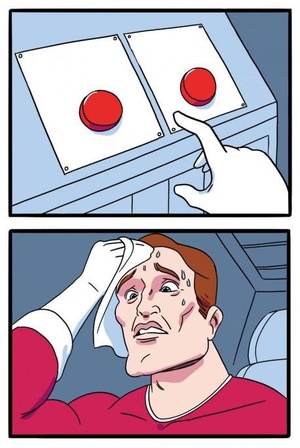 Daily Struggle
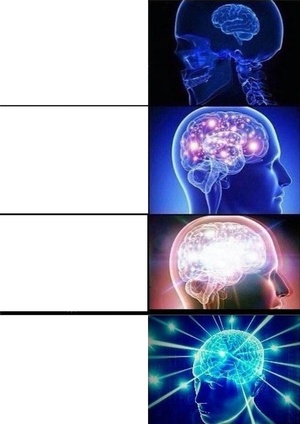 Galaxy Brain
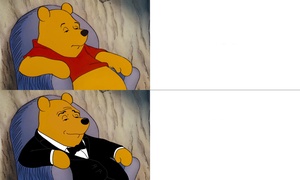 Tuxedo Winnie the Pooh
 Stonks
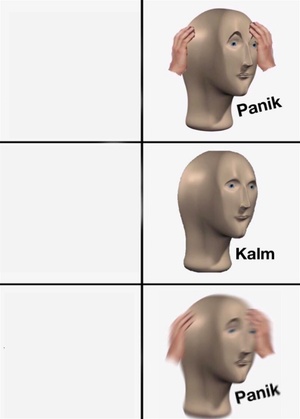 Panik Kalm Panik
 Hide the Pain Harold
 Success Kid
 Ancient Aliens Guy
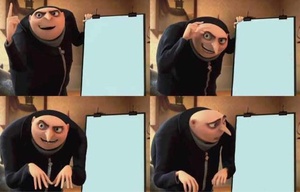 Gru's Plan
Pricing
Free to reply. Pro to find the feeling.
Free
$0
Everything you need to reply with a meme.
- AI picks memes that fit the post
- 3 AI caption ideas a day, 10 with a free account
- Hundreds of templates, searchable by name
- Unlimited captions of your own and PNG saves
- Share straight from the X app on Android
Create a MemeNo account needed.
MemeReplyPro
$2.99 / month
For when you know the feeling but not the meme.
- Everything in Free
- Find memes by feeling: tap a mood like Panic, Smug or Awkward
- Describe the moment (“overwhelmed”, “told you so”, “my boss”) and get the memes that fit
- Picks from your post’s own words when AI picks run out
- 100 AI caption ideas a day
Get Pro You have Pro. Open the editorPro is coming soon. Everything in Free works today.
Billed monthly by Alexworks through Stripe. Tax may apply. Cancel anytime from your account menu.
Take it with you
Install MemeReply on Android
Install once and MemeReply shows up when you tap Share on a post in X. The post opens here, ready for a meme.
- Open this site in Chrome on your phone.
- Tap Chrome’s ⋮ menu, then Add to home screen → Install.
- In X, tap Share on any post and choose MemeReply.
A home-screen shortcut from another browser may not appear in Android’s share sheet. If MemeReply isn’t listed, try Share → More in X, or copy the post’s link and paste it in the editor.
Good to know
A few things before you reply
How do I reply to a post on X with a meme?
Open MemeReply, paste the post’s link (or share it from the X app on Android), pick a meme template, add a caption, and save the PNG. Then open the post on X, tap Reply, attach the image and post it.
Is MemeReply free?
Yes. MemeReply is free and needs no account. AI caption ideas are included: 3 a day for everyone, or 10 a day if you create a free account. Writing your own captions and saving the PNG are unlimited. An optional Pro plan ($2.99/month) adds finding memes by feeling and 100 AI ideas a day.
What does MemeReply Pro add?
Pro ($2.99/month, cancel anytime) lets you find memes by feeling: tap a mood like Panic or Smug, or describe the moment (“overwhelmed”, “told you so”, “my boss”). When AI picks aren’t available, Pro picks templates from your post’s own words. It also raises your AI caption ideas to 100 a day. Payment is handled by Stripe.
How do I cancel Pro?
Open the account menu and choose Manage subscription. You can cancel there at any time, and Pro stays on until the end of the month you already paid for. Pro is billed by Alexworks, the business behind MemeReply, so that is the name on your receipt and card statement. Payments are handled by Stripe; MemeReply never sees your card details. See Terms & refunds for the details.
Which meme templates can I use?
209 familiar templates, from Drakeposting to Distracted Boyfriend, searchable by name. Each has its own page on what it means and when to reply with it, under Meme templates. AI suggestions pick templates that fit the post you’re replying to.
Which platforms does MemeReply support?
Any modern browser works. On Android, installing through Chrome adds MemeReply to the share sheet in the X app. On iPhone and desktop, paste the post’s link instead.
Does MemeReply post to X for me?
No. MemeReply never signs in to X or publishes anything. It saves your meme as a PNG, copies any reply text, and opens the original post so you can attach the image and reply yourself.
What does the AI do?
It reads the post you’re replying to, suggests templates that fit, and writes three caption ideas per template. It’s optional: you can always pick a template and write your own captions.
Do I need an account?
No. You can make and save memes without signing up, and your draft is saved on your device so you can come back to it. Creating an account with your email is optional: it raises your daily AI caption allowance, and it is where a Pro subscription lives if you choose one.
What does an account do?
It raises your daily AI caption ideas from 3 to 10. Sign up with just your email: we send a 6-digit code, so there is no password to remember. MemeReply stores only your email address, and you can delete your account from the account menu at any time.
Can I use it offline?
After your first visit, the app and your latest draft open offline and you can keep editing. Looking up posts, AI suggestions and rendering a new image need a connection.
Can I use every template commercially?
Template images may have their own copyrights, trademarks and likeness rights. Check the template’s linked source and get any rights your use needs.